Plum Review UK: Fees, Features and My Honest Verdict
If you’re looking for an honest Plum app review, you’re probably trying to decide whether Plum will genuinely help you save money — or whether it’s just another finance app with clever marketing.
Plum is an automated savings and investing app. You link it to your bank, it analyses your spending, and it quietly saves money in the background. If you want more, it also offers investing, a Cash ISA, and a growing list of paid features.
I’ve used the Plum app since 2018. I’ve used it purely for saving, heavily for investing, and now mostly as a digital savings pot again. This Plum app review is based on real, long-term use.
Here’s how Plum works, what it does well, where it falls short, and whether it’s worth paying for.
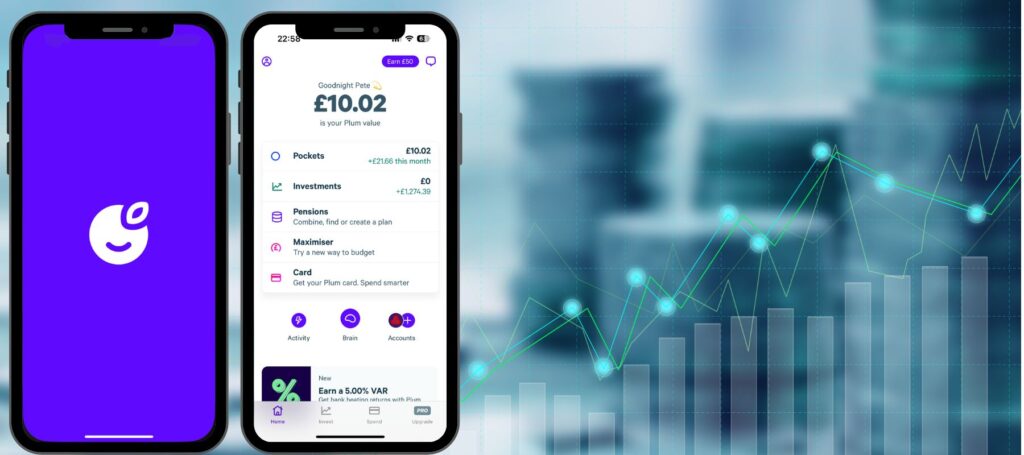
Plum app review
Plum has evolved from a simple autosave tool into a comprehensive financial hub. With a market-leading 4.36% AER Cash ISA (for new users) and a suite of “Plum Brain” rules like the 52-week challenge, it is arguably the most versatile app for anyone looking to automate their wealth-building.

Pros
- Market-leading 4.36% AER Cash ISA (with bonus)
- “Plum Brain” offers 8+ automated saving rules
- New lifestyle perks (Cinema/Coffee) on paid plans
- Invest in 3,000+ stocks and 25+ curated funds
Cons
- Subscription fees range from £3.99 to £14.99/month
- ISA bonus rate drops significantly after 12 months
- Withdrawal limits apply to maintain the highest rates
 Reviewed by Household Money Saving
Plum app quick verdict
If saving feels like something you never quite get around to, Plum is one of the best apps available.
If you want simplicity and strong savings rates without subscriptions, Plum may frustrate you.
How the Plum app works
The Plum app connects to your current account using Open Banking. Once connected, Plum’s AI looks at your income and spending to decide how much you can afford to save.
That money is then moved automatically by direct debit. You’re notified in advance, and you can pause or adjust saving at any time.
Plum offers multiple saving methods:
- Savings intensity (from cautious to aggressive)
- Round-ups on card spending
- Payday deposits
- Fixed weekly savings
- “Rainy Days” rules that save more in bad weather
This automation is Plum’s biggest strength and the main reason people use it.
Is the Plum app safe?
Plum uses bank-level security and only has read-only access to your bank account.
Savings are held with regulated providers. Depending on the product, money is either FSCS-protected via partner banks or safeguarded under e-money rules. Investments are held with regulated custodians.
I’ve never had security concerns using Plum.

Plum savings review: where does your money go?
If you’re searching for a Plum savings review, this is what matters.
Easy Access Interest Pocket
Plum offers an easy-access savings pocket with a variable rate. The interest rate depends on your plan, with higher rates available on paid tiers.
Best for:
- short-term savings
- emergency funds
- people who value convenience
Plum Interest Money Market Fund
This is not a savings account. It’s a low-risk investment fund that aims to beat cash savings, but your balance can go down as well as up.
This only makes sense if you’re comfortable with some risk.
Plum Cash ISA
Plum offers a Cash ISA on all plans, with the same rate regardless of subscription.
If you’re specifically looking for a Plum ISA review, the key point is this: it’s simple and convenient, but not always the highest-paying ISA available.
Investing with the Plum app
Plum makes investing accessible, even for beginners.
Depending on your plan, you can invest in:
- ready-made managed funds
- ethical and ESG funds
- sector-based funds (e.g. tech, healthcare)
- individual stocks
You can invest through:
- a General Investment Account (all plans)
- a Stocks & Shares ISA (Plus and above)
The main difference between plans is range, fees, and tax wrappers, not basic access.
You can see how my Plum investment performed.
Plum app features at a glance
Feature | Basic | Plus | Boost | Max |
Monthly cost | Free | £3.99 | £7.99 | £14.99 |
Automatic saving | ✅ | ✅ | ✅ | ✅ |
General Investment Account | ✅ | ✅ | ✅ | ✅ |
Stocks & Shares ISA | ❌ | ✅ | ✅ | ✅ |
Ready-made / managed funds | ❌ | ✅ | ✅ | ✅ |
ESG funds | ❌ | ✅ | ✅ | ✅ |
Individual stocks | ✅ | ✅ | ✅ | ✅ |
Plum Card | ❌ | ❌ | ✅ | ✅ |
Tax reports | ❌ | ❌ | ✅ | ✅ |
Some features are available on multiple plans but differ in fees, investment range, and flexibility depending on your subscription.
Is Plum worth paying for?
If your goal is saving automatically, the free plan is enough.
If you want:
- higher savings rates
- investing inside an ISA
- tax reporting
- better investment fees
…then you’ll need a paid plan.
For most people, Plum Boost is the sweet spot. Plum Max only makes sense if you’ll actively use the extras.

My experience with the Plum app
I started using Plum in 2018 as a savings app. Later, I moved into investing and saw strong gains in the Tech Fund.
Once my balance started approaching capital gains territory, I withdrew the money and moved it into an ISA elsewhere. These days, Plum is back to being a savings tool for me.
That flexibility is something I genuinely like.
Plum vs Chip (and other alternatives)
If you’re comparing Plum vs Chip, the difference is simple:
- Plum focuses on behaviour, automation, and nudges
- Chip focuses on competitive savings rates and simplicity
I’ve broken this down fully in my Chip vs Plum comparison.
If budgeting matters more than saving interest, see my guide to the best budgeting apps.
If investing is the main focus, Moneybox is another alternative — covered in my Plum vs Moneybox review.
Final verdict: Plum app review
Plum is one of the best apps available for people who struggle to save.
It removes friction, builds habits automatically, and offers investing once you’re ready. Just be honest with yourself about whether you’ll use the paid features — because that’s where Plum makes its money.
FAQs
How do I cancel my Plum account?
Simply open the app and click the icon in the top left corner. Scroll down and select ‘close account’.
How do I change my auto-save level?
In the app, click the Plum icon (found close to the top right). Then select ‘brain’ and choose your new savings level, listed underneath ‘Rules’.
Why has my bank lost connection to my bank?
Don’t worry, this can happen. Click the Plum icon in the app and select ‘Help’. Then choose the Chat to a Human option and they will give you some advice.
Can I close an investment fund?
If you decide one of the investment funds isn’t for you, you can withdraw the balance to 0. However, the fund will still appear in your Plum account.
Why won’t Plum let me withdraw my money?
This occurs if you haven’t completed the Know Your Customer (KYC) process. These are guidelines that all financial institutions need to follow to ensure against money laundering. To comply with the policy, you must send an official photo ID.