Starling Kite Review (2026): A Free Kids’ Bank Account – But Is It Too Basic?
If you’re looking for a bank account that gives your child more freedom while still keeping you firmly in control, Starling Kite could be worth a look. It’s free to use, backed by a fully regulated UK bank, and lets kids spend online, in shops and at cash machines.
But unlike apps such as Rooster Money or GoHenry, Starling Kite takes a much simpler approach. In this Starling Kite review, I’ll explain how it works, who it’s best for, what it’s missing, and whether it’s the right choice for your family.

Starling Kite review
A free kids’ bank account aimed mainly at older children and teens. It’s easy to manage, backed by a real bank, and great for monitoring spending. However, it lacks budgeting tools, savings pots and financial education features, making it less suitable for younger children.

Pros
- Completely free to use
- Real-time spending alerts
- Online and ATM access
- Add up to six Kite cards
Cons
- No specific budgeting tools
- Lacks separate savings pots
- Geared toward older children
 Reviewed by Household Money Saving
Why I tried Starling Kite
As a father of three, I gave up handing out cash as pocket money a long time ago. Partly because it disappears instantly, and partly because during Covid I didn’t leave the house for months and never had any change anyway.
I’ve tried several pocket money apps over the years. I liked GoHenry, but I didn’t like the cost. Since then, I’ve been testing alternatives to see which ones strike the best balance between freedom, control and value.
That’s what led me to Starling Kite.
What is Starling Kite?
Starling Bank Kite is a free children’s account designed for kids aged 6–15. It sits underneath a Starling adult account, which means the parent or guardian keeps overall control at all times.
Kite works more like a junior bank account than a pocket money app. Your child gets their own debit card, but you decide how it’s used.
How much does Starling Kite cost?
Starling Kite is completely free.
There are:
• No monthly fees
• No card charges
• No top-up fees
Are there any hidden costs?
No. Starling is refreshingly transparent.
Your child can:
• Spend online
• Spend in shops
• Withdraw cash
• Use the card abroad
All without extra charges from Starling. That’s a big plus compared to some prepaid kids’ cards.
How does Starling Kite work?
First, the adult needs to open a Starling current account. This is done through the app and usually takes around 10 minutes. You’ll need photo ID and a smartphone.
Once your Starling account is live, you can apply for a Kite account directly from the app. Starling will ask for proof of your child’s identity, such as a passport or birth certificate. This is stricter than most competitors, but it’s part of Starling treating Kite like a real bank account.
Approval is usually quick, and the debit card arrives within a few days.
Your child can:
• Choose their own PIN
• Use the card online, in-store and at ATMs
Card designs are simple and understated, which fits the more grown-up feel of Kite.
Also worth reading
Need help with budgeting? Take a look at the best budgeting apps and how they can help you.
The Kite app (for children)
If your child has their own phone, they can download the Kite app. You link it to their account via an invite from your app.
The child’s app is read-only. They can:
• Check their balance
• View transactions
They can’t:
• Change settings
• Adjust limits
• Move money
That control always stays with you.

Can the Kite card be added to Apple Pay or Google Pay?
Yes.
In January 2026, an update meant that Starling Kite cards could be added to Apple Pay or Google Pay.
This feature is only available to children aged 13 and over. And, it can only be added if you give permission in the parent app.
Is Starling Kite safe?
Because Kite is a bank account, it’s covered by the Financial Services Compensation Scheme (FSCS). Your child’s money is protected up to £120,000 if anything were to happen to Starling. And congratulations to any child who has thta much!
Security features include:
• Biometric login
• Card controls
• 3D Secure for online payments
• Instant card freezing
Starling Kite features
From the parent app, you can:
• See your child’s balance and spending
• Set up automatic transfers (pocket money)
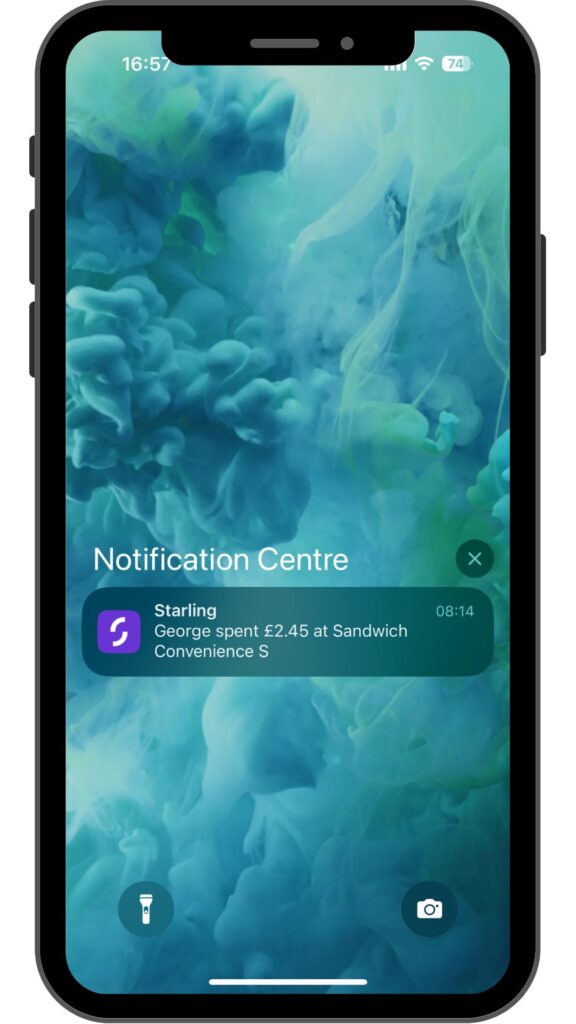
• Receive notifications when they spend
• Set daily spending limits (£0.01 to £500)
• Control contactless spending (up to £100, adjustable down to £0)
• Block or unblock the card instantly
• Allow or block online payments and cash withdrawals
• Add up to six Kite accounts under one adult account
Starling Kite vs Rooster Money vs GoHenry
| Feature | Starling Kite | NatWest Rooster Money | GoHenry |
|---|---|---|---|
| Monthly cost | Free | £1.99 (or free with NatWest) | £3.99–£5.99 |
| Annual cost | Free | £19.99 | £49.99–£71.88 |
| Free option | Yes | Yes (NatWest customers) | No |
| Age range | 6–15 | 6–17 | 6–18 |
| Apple Pay / Google Pay | ✅ Yes (13+) | ✅ Yes (13+) | ✅ Yes (13+) |
| Savings pots / jars | ❌ No | ✅ Yes | ✅ Yes |
| Chores & rewards | ❌ No | ✅ Yes | ✅ Yes |
| Budgeting tools | ❌ No | Basic | Strong |
| Best for | Older teens, simplicity | Best value overall | Financial education |
Quick takeaway:
Starling Kite is the simplest and cheapest option, but also the most limited. Rooster Money offers the best balance of price and features, while GoHenry remains the most educational — at a higher cost.
Can your child overspend?
No. There’s no overdraft and no borrowing.
Your child can only spend what’s in their account, subject to the limits you’ve set. Transactions are capped at 25 per day, and cash withdrawals are limited to three per day, with a maximum of £100.
Does Starling Kite teach kids about money?
This is where Starling Kite falls short.
Compared to apps like NatWest Rooster Money or GoHenry, Kite lacks:
• Budgeting tools
• Savings goals
• Separate spending and saving pots
• Rewards or chore tracking
Your child can see where their money has gone, but there’s very little encouragement to plan, save or budget. It works well as a monitoring tool, but not as a teaching one.
Any other downsides?
The biggest omission is the lack of separate jars or pots.
This matters for two reasons:
First, it makes saving harder. Kids can’t easily split money between spending and saving.
Second, it reduces security. If all their money sits in one balance and the card is compromised, it’s all exposed.
For a bank that’s otherwise very polished, this feels like a missed opportunity.
Who Starling Kite is best for
Starling Kite is ideal if:
• You want a free kids’ bank account
• Your child is an older teen
• You want simplicity over teaching tools
• You already use Starling
It’s less suitable if:
• You want structured financial education
• Your child is younger
• You want savings pots or budgeting features
Final verdict: Is Starling Kite worth it?
Yes — with caveats.
Starling Kite is a solid, no-nonsense account that gives kids real spending freedom while keeping parents in control. It’s free, well-designed, and backed by a proper UK bank.
However, it’s not a teaching tool. If you want your child to learn budgeting, saving and goal-setting, you’ll find Kite lacking. For older teens who just need a simple, safe way to manage money, it works well.
Further reading
If you don’t think Starling is right for you, why not check out my post on the best GoHenry alternatives? It lists some of the best pocket money apps in the UK.