OnePulse Review: Is This the Best Paid Survey App?
If you’re looking to make some extra money from your phone, then you may be interested in the OnePulse app. But how does it work and how much can you expect to make each month? Let’s take a look.

OnePulse review
It won’t make you rich, but the pay-per-minute can be excellent. You can earn £0.25+ for answering three quick questions, and it adds up fast — but you need to be quick because spaces fill up.

Pros
- Excellent pay for the time spent answering
- Quick questions you can do anywhere
- Money goes to PayPal very quickly
Cons
- Mobile-only
- You have to be fast — spaces are limited
- Withdrawals are capped at $20 per month
 Reviewed by Household Money Saving
OnePulse
I’m always on the lookout for new ways to earn money. Because I work full-time and I’m often running around after my children, one of my favourite ways is to earn using my phone. So when I found an advertisement for OnePulse, I was instantly interested.
And surprisingly, it makes it onto my list of top-paying survey sites.
Also worth reading
If you like the idea of making money from your phone, take a look at the best-paying apps.
What is the OnePulse app?
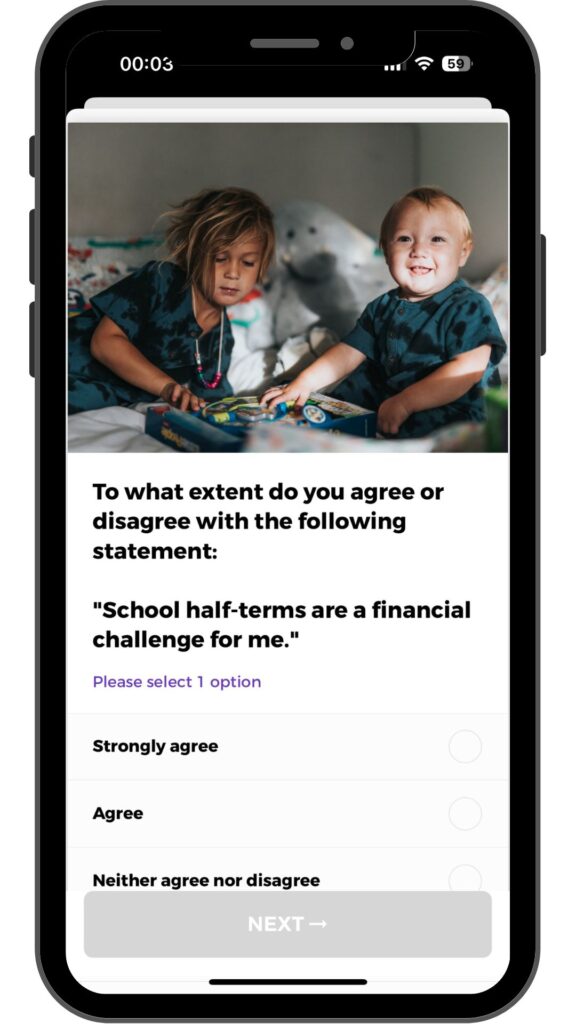
OnePulse is an app that allows you to make money from your phone. You’ll be sent ‘Pulses’, which reward you with XP or cash. Most Pulses consist of three questions and are sent on behalf of major companies. These Pulses shouldn’t take any longer than 30 seconds.
Is it Safe?
OnePulse is owned by StartPulsing Limited, a British company based in London that started in 2011. They operate in the UK, USA and… Kenya.
I’ve used the app for several years, made well over $1,000 and never had a problem with payments. And here’s me – number 9 in the leaderboard.

And in case you’re wondering, and I’m sure you are, Tony Cottee is a footballer from the 80’s/90’s.
How does OnePulse work?
Once you’ve downloaded the app to your Apple or Android device, you’ll need to create an account, which isn’t much more than an email address and password.
You’ll then need to fill out some standard profile information, such as age, gender, education, work etc. On top of this, you will need to share your interests, the types of media you pay attention to, your technology and where you shop. It sounds a lot, but takes just a few minutes. The more complete your profile is, the more Pulses you should receive.
You’ll also find ‘Channels’ on the app. These are topics that you’re interested in and happy to answer questions about. The more Channels you join, the more Pulses you’ll be sent. Some are locked and you can only join if you receive an invite.
Then, it’s earning time.
There are two types of Pulses – those that pay(Money Pulses) and those that don’t (XP Pulses). For every Pulse you complete, you’ll receive XP. And the more XP you have, the more your money Pulses are worth.
You can either check the app or wait for a notification to come through.
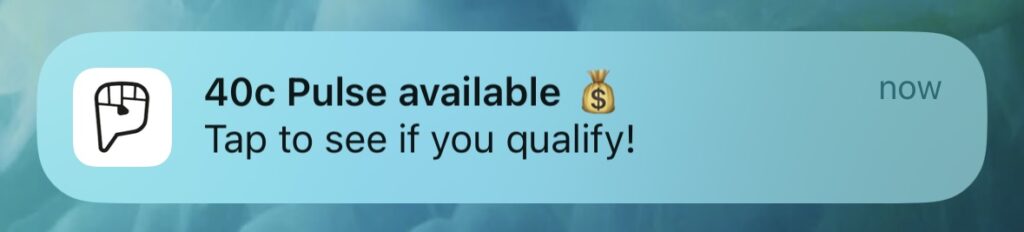
Click on it, answer the question and take your XP or cash. It’s as simple as that.
Any downsides?
The main negative to OnePulse is the fact that spaces for each Pulse are limited. In some cases, you’ll have just a few seconds before a Pulse has enough recipients and closes. Sometimes, you may be entered into a queue and you’ll wait for a space to open up. I’m not sure friends are too keen as I stop mid-sentence to answer a Pulse.
You can also be timed out of Pulses. If you don’t answer quickly enough, your place will be lost and go to someone else. You may think that’s fair, but it’s happened when I’ve had to watch a video. If I have to watch a 90-second video, don’t time me out after 60 seconds!
But the most annoying aspect of OnePulse is being thrown out halfway through a Pulse. Although rare, it happens when a Pulse has enough answers. OnePulse did claim that they had stopped doing this, but it still happens from time to time.
The app is a little buggy. I often find that when you receive a notification that you have a money Pulse, the moment you click on it, the app will take a while to load and often crash. I assume this is because several hundred people are all trying to access the app simultaneously. This has improved over the years but it still happens.
Don’t expect always to receive notifications for money pulses either. Both my wife and I have the app and often, only one of us will get a notification when a new pulse is available. Check the app regularly!
Finally, the cashout is frustrating… see below.
How much can you earn from OnePulse?
OnePulse pays you in $. How much you earn per Pulse depends on how much XP you have. New users will earn 25 cents per Pulse, whilst more experienced Pulsers can earn as much as 41 cents.
Once you reach $20, you can withdraw your earnings through PayPal. However, this can only be done once per month. As I’m somebody who regularly makes more than $20 per month, I’m building up quite a positive balance in my account.
Also worth reading
Why not look at other great ways to boost your PayPal balance?
What other people think
Over on Google Play and the Apple Store, the app receives a respectable 3.9 out of 5 from several thousand reviews. On Trustpilot, the app scores a lower 3.3 but this is from under 100 reviews.
My OnePulse review conclusion
This is actually a very good app to have. Yes, you’re limited to just $20 per month, but I would think that most people could reach that in less than an hour’s worth of work.
I would love for there to be more Pulses, but that’s a little pointless when the withdrawal limit is set to
If you’re somebody who has your phone close to you at all times and you want to earn some extra money, then this is a great app for you.
Referral code
I do have a referral code you can use when you join – UPOZ4H
However, I’m really not sure it gives you anything, so it’s up to you if you want to use it.
OnePulse alternatives
Although $20 extra each month is nice, it’s only a small start. Here are a few other apps you can use to help boost your income.
Qmee – Plenty of surveys and you can earn cashback or bonuses from downloading games. Join using this link for a 50p or read my Qmee review.
AttaPoll – an app for short surveys and a low payout threshold. Join for a 40p bonus using this link. Or take a look at my full AttaPoll review.
Eureka – another app with quick surveys and a low cashout of £4. Join Eureka for an 80p bonus or take a look at my Eureka app review.
MSR – although primarily a survey app, you can make extra money by uploading information such as your YouTube or Google search history. It’s a quick way to earn more.
FAQs
How can you make extra with OnePulse?
Ensure you have notifications turned on for cash pulses so you don’t miss out. When you’re new to the app, I would also complete as many XP pulses as you can so you start earning more. Notifications don’t always work, so check your app frequently. I also find that I sometimes need to reset the app before I can see a new Pulse.
Also, join as many Channels as you can.